

AI can generate beautiful images in seconds but for professional designers, this has never been the difficult part.
The difficult part is building a process that consistently produces concepts that align with a brand, explore meaningful design directions, and remain grounded in real-world product development.
That challenge became the foundation of a project developed by award-winning AI Designer for Fashion & Footwear and founder of TRIF Studio, Ilinca Trif.
Working inside our Figma Weave Live Studio, Ilinca set out to build a workflow that would allow AI to participate in the footwear design process without removing the designer from it. Rather than relying on one-click image generation, she developed a system that moves from research and moodboards through color exploration, material development, concept refinement, and photorealistic rendering.
The resulting sneaker concepts are impressive, but the project goes much deeper than that, with the crowning achievement being the workflow itself.
As Ilinca notes:
It is not a one-click stop shop, but more of a dynamic and hybrid design process.
To demonstrate that philosophy, she built a workflow consisting of five distinct stages. Each stage introduces AI where it creates value while preserving the moments where human judgment, experience, and creativity matter most.
The Workflow Breakdown Behind the Sneakers
1. Build a Strong Moodboard
Every project starts with a moodboard.
For Ilinca, this is the foundation of the entire workflow. The goal is to build a moodboard that aligns aesthetically with both the product and the brand, while also creating space to explore new colors, materials, and design directions.
What makes this step particularly interesting is the role the moodboard plays inside the AI workflow. Traditionally, moodboards have been used as inspiration. In this workflow, they become an active design tool.
To show how that happens in practice, here's one section of the workflow Ilinca built inside Figma Weave Live Studio. Notice how the moodboard, CAD sketch, and material card become structured inputs that guide the AI instead of simple references.
In this part of the workflow, three human-created inputs are combined:
Color image reference
CAD sketch reference
Material card
These references are translated into two structured prompt stages that preserve the intended colors, material sequencing, and overall design language before passing through the AI pipeline.
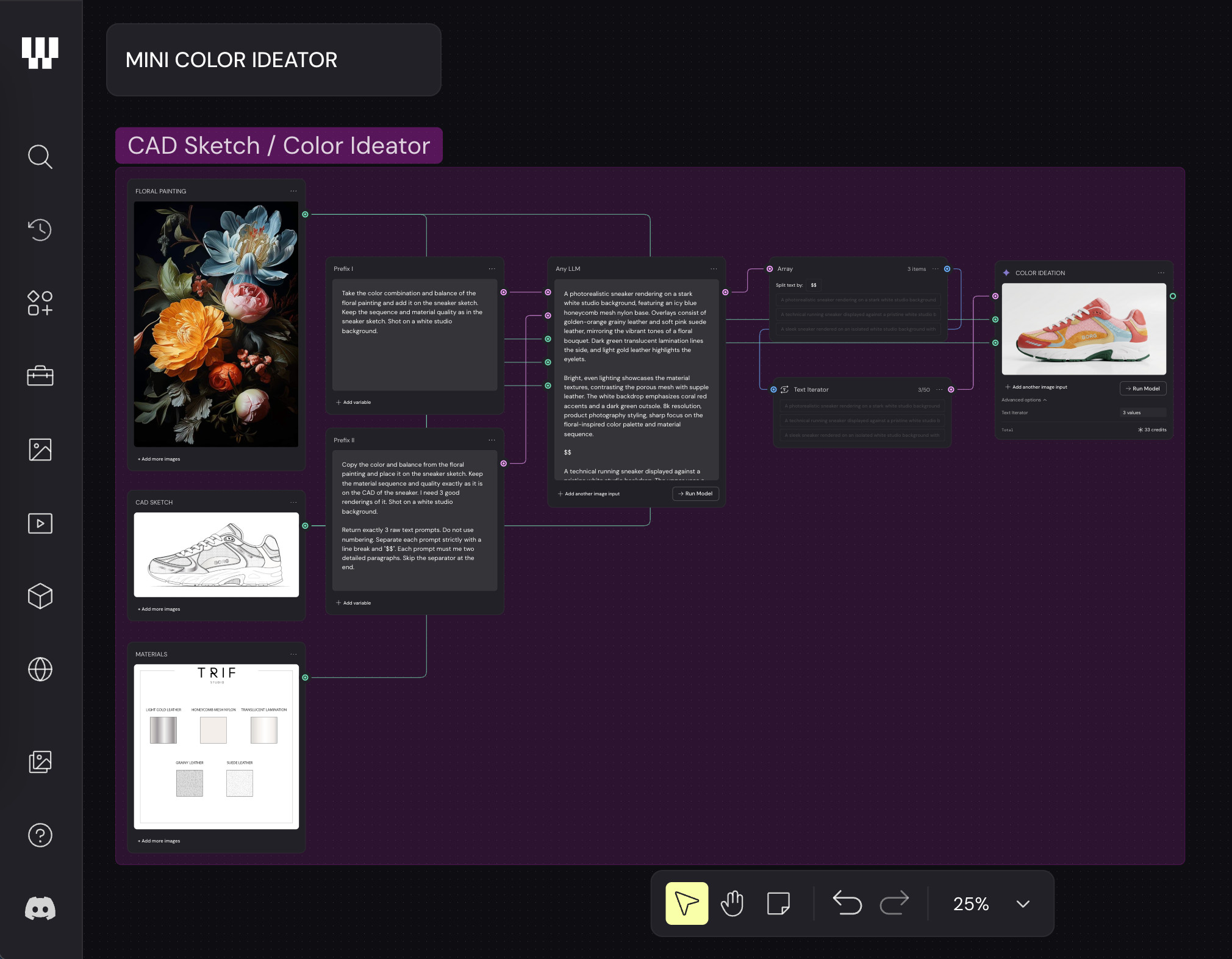 Prefix I
"Take the color combination and balance of the floral painting..."
Prefix II
"Copy the color and balance from the floral painting..."
Workflow Pipeline
Color References → Prompt Prefixes → LLM → Array → Text Iterator → NanoBanana Pro 1K → Sneaker Color Ideation
Explore Ilinca's Figma Weave workflow here.
This is exactly what Ilinca means when she says:
The moodboard can also become an actual tool within the creative process.
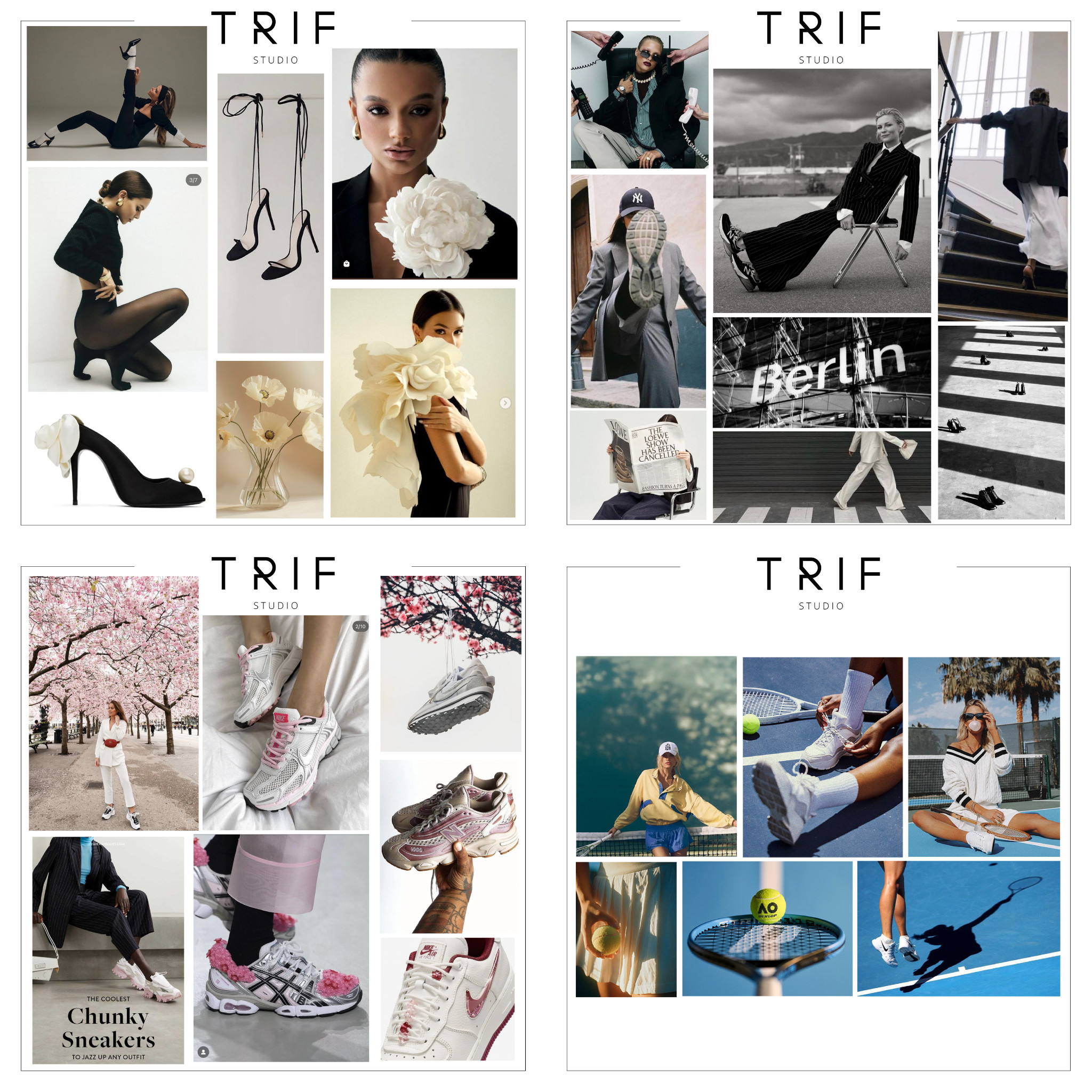
Once the moodboard has been established, visual references can be distilled into tokens that are later used to build prompts. This is the point where the traditional design process begins to bridge into the AI design process, with tokens acting as an extension of the original moodboard.
Key Actions
Understand the brand you are designing for.
Research visual references using platforms such as Pinterest and Cosmos.
Extract tokens that can later be used for prompt building.
2. Build the Core Design Assets
With the moodboard and creative direction established, the next step is to prepare the assets that will drive the workflow.
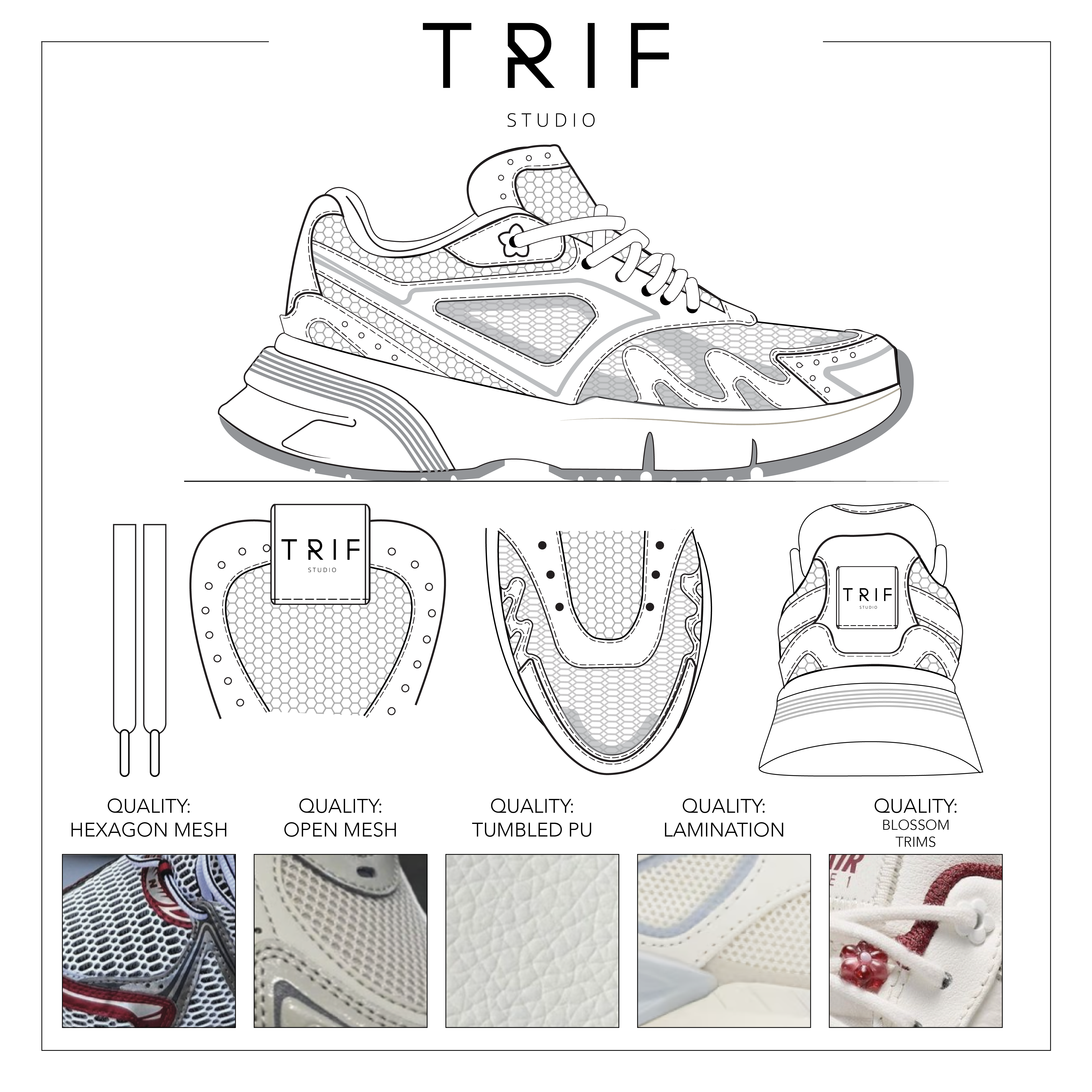
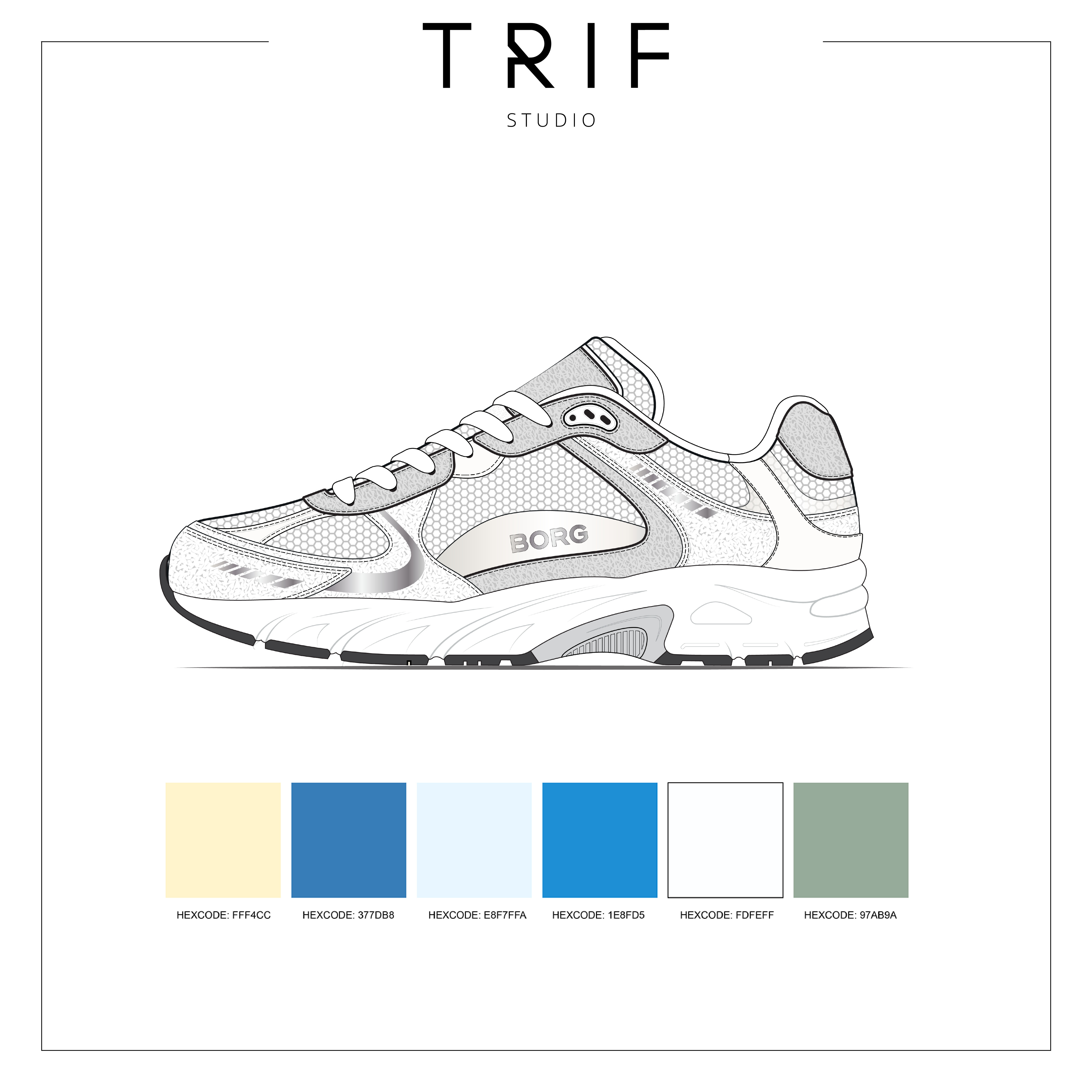
This stage focuses on three key components:
A color card
Material references
The product design itself
Each brand has different needs that have to be met and highlighted inside an AI workflow.
— Ilinca
Only once these three assets have been prepared can the workflow begin to take shape.
Key Actions
Build a color palette and convert Pantone references into HEX values.
Design a strong product using Adobe Illustrator.
Select the correct materials and define their sequence within the design.
3. Build the Workflow and Create the First Station
Once the moodboard, tokens, color system, materials, and product sketch are ready, the workflow itself can be built inside Figma Weave.
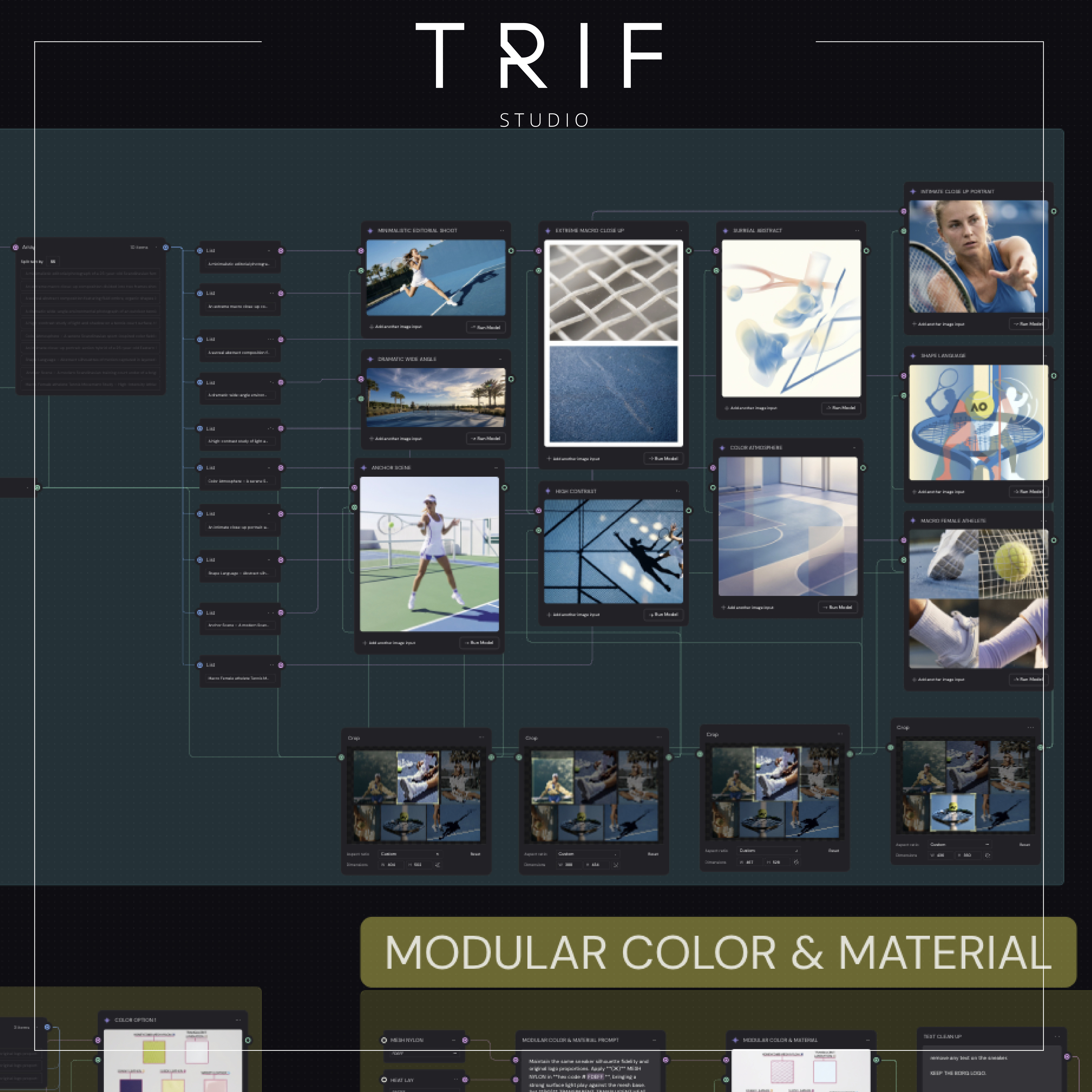 This stage focuses on building the workflow itself. Prompt boxes, LLMs, image generators, variables, compositors, and a strong prompt architecture are connected together to create a structured system that keeps outputs aligned with the original concept.
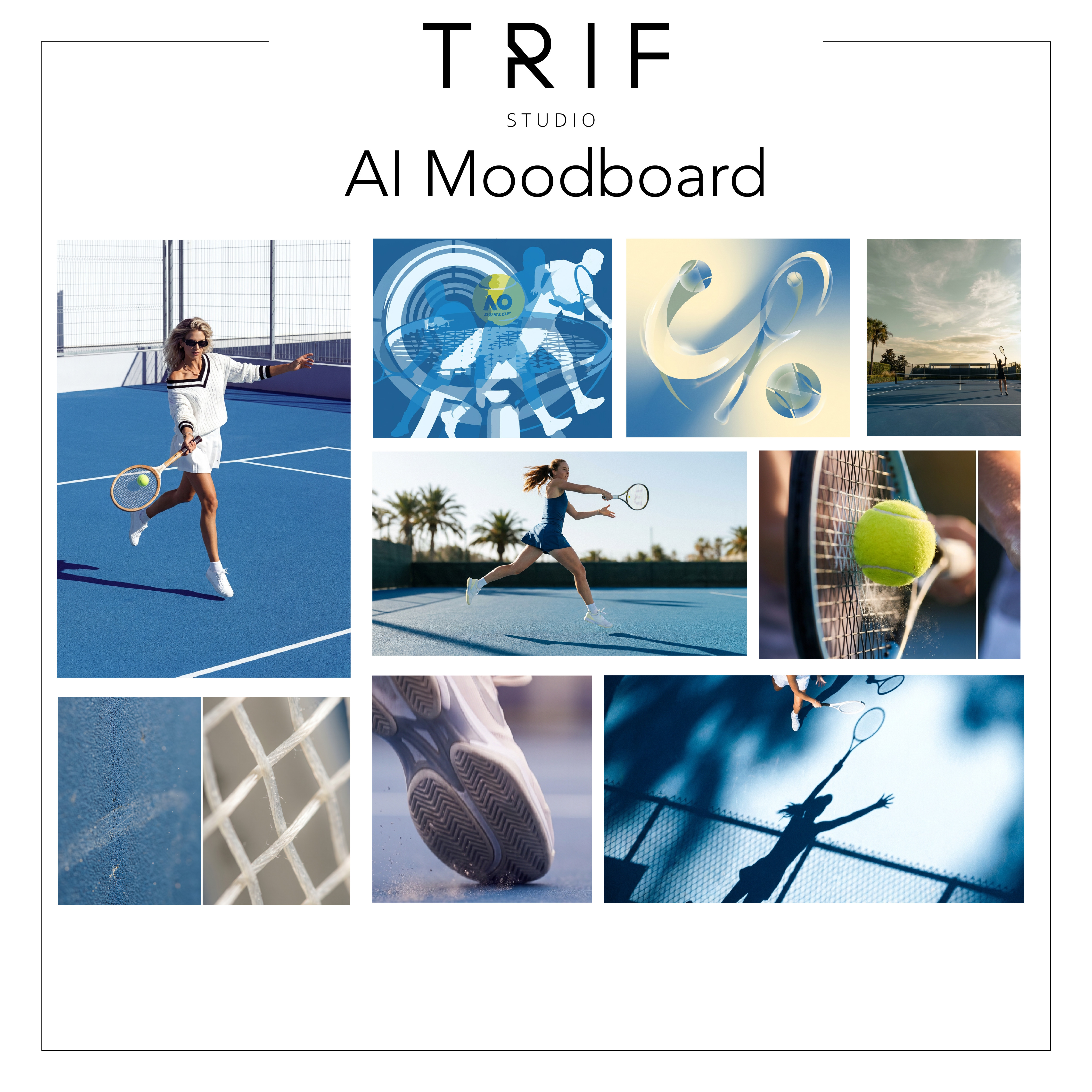 With the workflow architecture in place, the first station can be created.
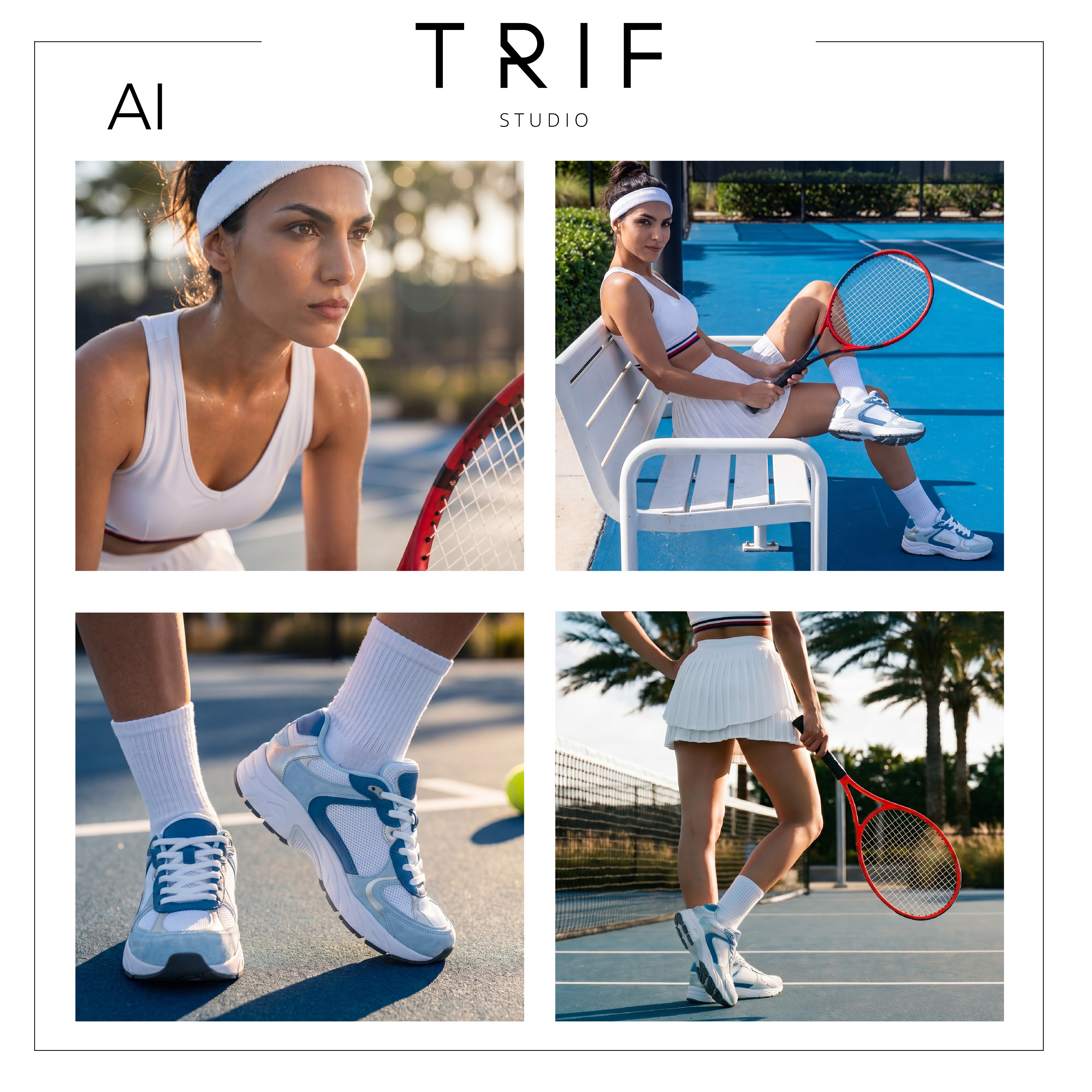 Station 1: Moodboard Generator
Using the moodboard and extracted tokens, the workflow generates worlds, material textures, and aesthetic artwork that help evoke the feeling of the product concept and the brand behind it.
Rather than generating the product immediately, this station focuses on deepening the creative direction surrounding it.
Key Actions
Build the workflow skeleton using prompts, LLMs, image generators, variables, and compositors.
Create a prompt architecture that provides creative guardrails.
Develop the first station: a moodboard generator.
4. Create the Color and Material Engine
The second station is where the product itself begins to evolve.
This stage focuses on generating and refining color and material combinations using the assets prepared earlier in the workflow.
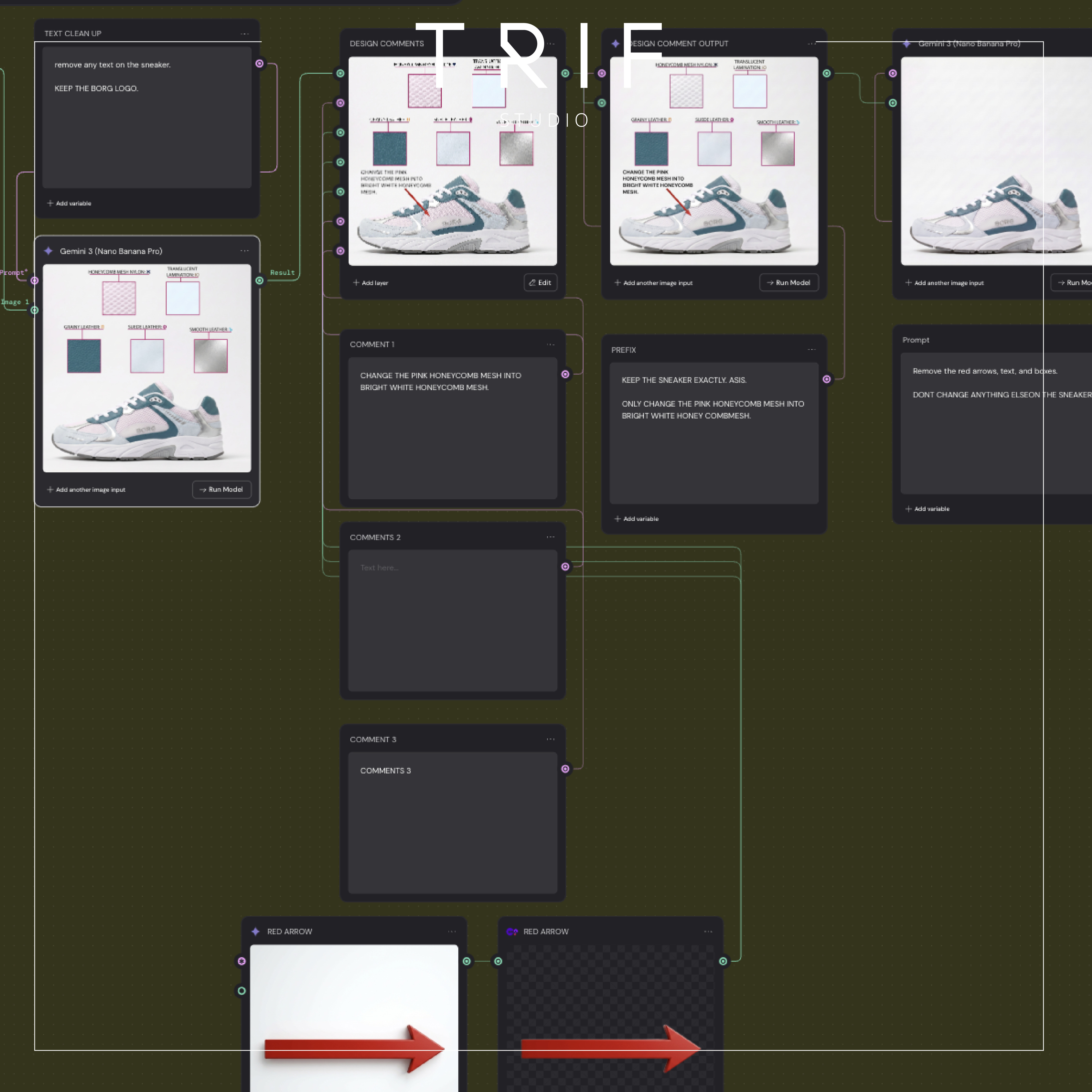 Using HEX values from the color palette and tokens extracted from the moodboard, designers can rapidly explore variations that would traditionally require significant manual effort.
This becomes the core of the workflow.
At the same time, Ilinca is careful to acknowledge the current limitations of AI.
The truth is that, like anything, AI has its limitations. It can only get you 90% of the way there.
For the final refinements, the workflow returns to Adobe Illustrator, where the sketch can be adjusted manually before continuing through the process.
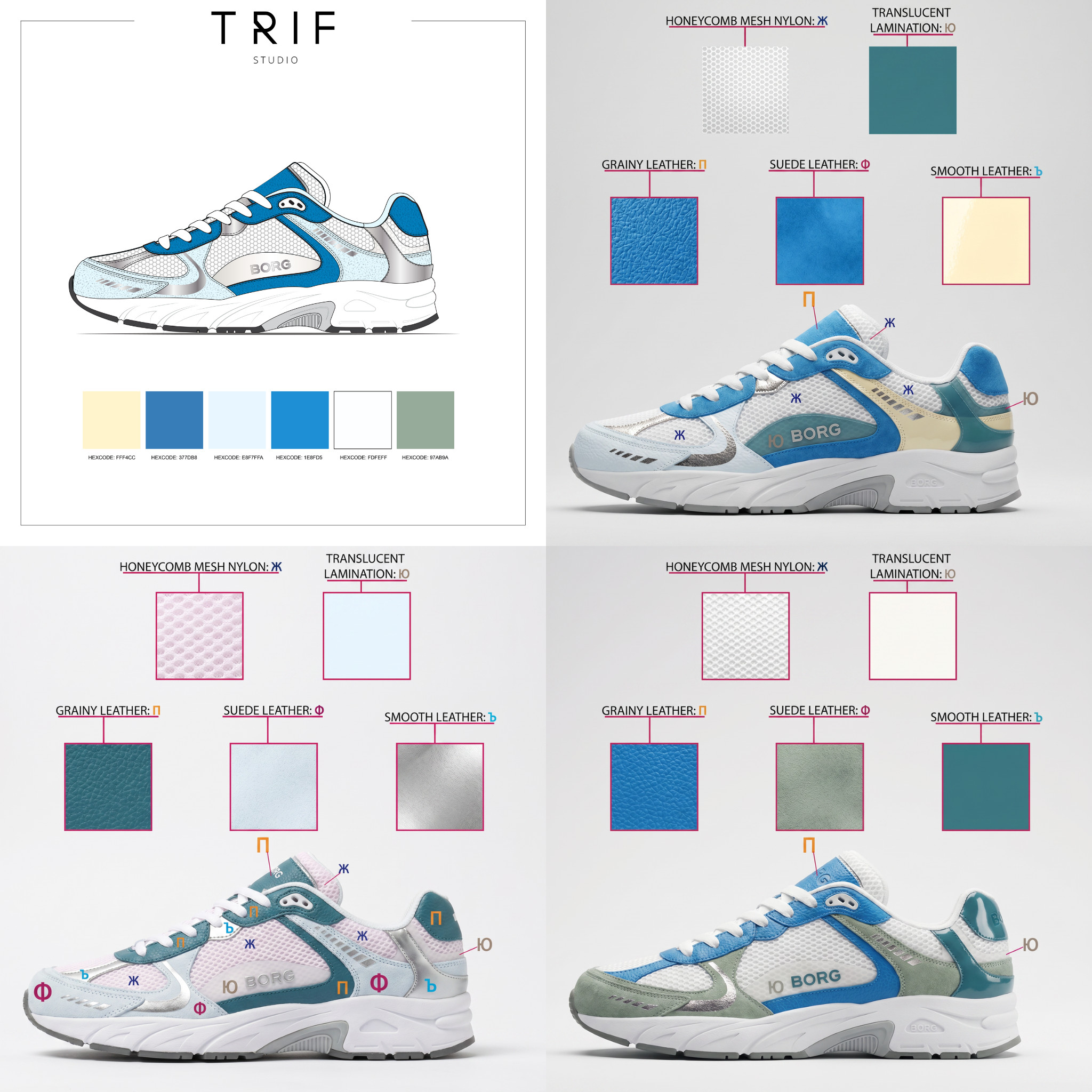 This stage also introduced a practical challenge. Prompt adherence became increasingly difficult when attempting to control material placement and sequencing.
To solve this problem, Ilinca used the Cyrillic alphabet as a labeling system, allowing the workflow to communicate material sequences more effectively and produce more consistent results.
Stations
Station 2: Color Iterator
Uses the color palette and product sketch to explore color variations rapidly.
Station 3: Modifier Color Station
Refines the AI-generated color output when the result is only about 90% there. This is where Ilinca can adjust the sketch in Adobe Illustrator and use clearer labeling, including the Cyrillic alphabet, to improve prompt adherence and material sequencing.
5. Generate Views and Final Renders
With the color and material system finalized, the workflow moves into visualization.
Using a descriptive prompt based on the approved sketch, the workflow generates multiple product views before producing photorealistic renders — turning what once took hours of sketching into a process that can be completed in seconds.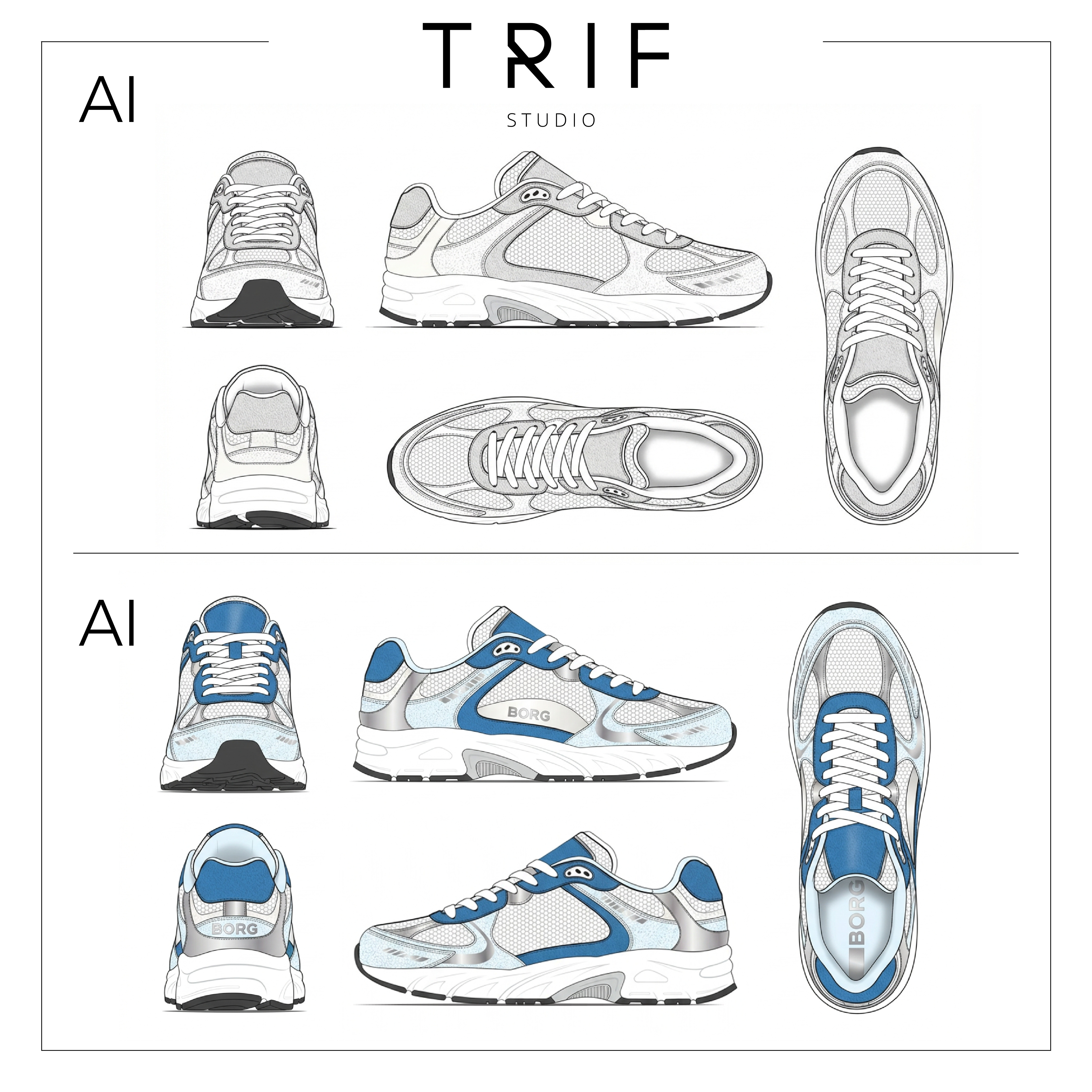 By generating photorealistic renders of the approved design, the workflow allows designers to see what an initial prototype could look like before a physical sample has been produced.
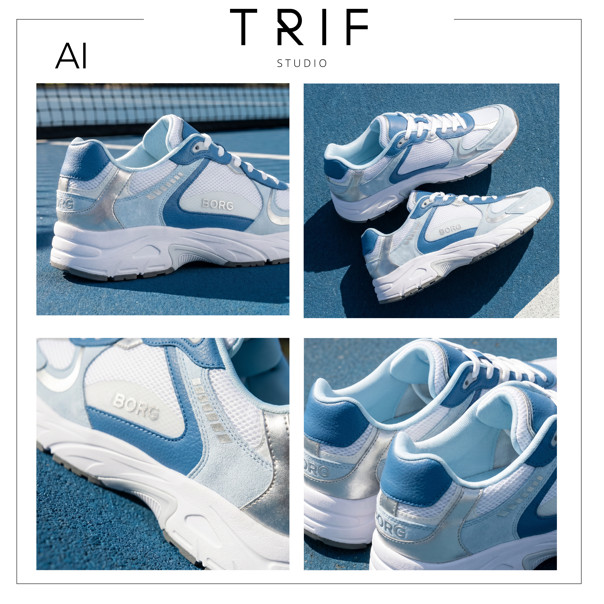 This allows designers to evaluate concepts and make decisions before producing a physical prototype.
Stations
Station 4: Multi-View Generation
Generates multiple views from the approved black-and-white sketch.
Station 5: Photorealistic Rendering
Produces final renders using the approved colors and materials, creating a realistic representation of the finished product.
Why It Matters
It would be easy to look at this project and focus exclusively on the final sneaker renders.
But Ilinca's workflow demonstrates how AI can be integrated into an existing creative practice without replacing the designer's role. Rather than automating the entire process, the workflow introduces AI at specific moments where it can accelerate exploration, iteration, and visualization.
The designer remains responsible for creative direction, taste, and decision-making, while AI accelerates exploration and iteration.
As Ilinca explains:
I try to make sure that my human creativity is still injected into the process.
That balance between automation and creative control may be one of the most important lessons emerging from AI-assisted design today.
What Designers Can Learn from Ilinca's Workflow
Projects like this reveal that successful AI workflows rarely begin with prompts.
Several lessons stand out from Ilinca's approach:
Research remains the foundation of strong design.
Moodboards can become functional creative assets.
Human checkpoints improve quality and consistency.
AI performs best when operating inside clear creative guardrails.
Workflow design is becoming an increasingly valuable creative skill.
From Design Process to Design System
One of the broader themes emerging from Ilinca's project is the shift from isolated AI outputs toward complete creative systems.
As image generation becomes more accessible, the real advantage lies in designing the process behind it.
The workflow built inside Figma Weave Live Studio demonstrates this clearly. The value does not come from a single render. It comes from the ability to repeatedly move from research to concept, from concept to refinement, and from refinement to visualization in a structured and repeatable way.
This is where many creative professionals are beginning to find lasting value in AI.
Not through automation alone, but through thoughtfully designed systems that increase leverage while preserving creative authorship.
I am here to say that the boring parts can be outsourced to AI. And even that can become fun.
— Ilinca
The future of creative work may not belong to those who generate the most images.
It may belong to those who build the most effective creative systems.
Learn with Lighthouse: Build Workflows That Enhance Creativity
At Lighthouse AI Academy, we believe that the most valuable AI projects are not defined by the tools they use, but by the systems they create.
Ilinca's workflow shows how combining traditional design thinking with AI inside Figma Weave can create faster, more flexible creative systems.
The goal is not to remove the designer from the process.
The goal is to give designers better tools, stronger systems, and more time to focus on creative decisions that matter.
Because when AI is implemented thoughtfully, it does not replace creativity.
It expands it.
That’s why we teach our students about:
USING AI TO ENHANCE, NOT REPLACE.
View our courses now and build your own systems with purpose.
Any questions or comments about the article?
Message us and let us know your thoughts!