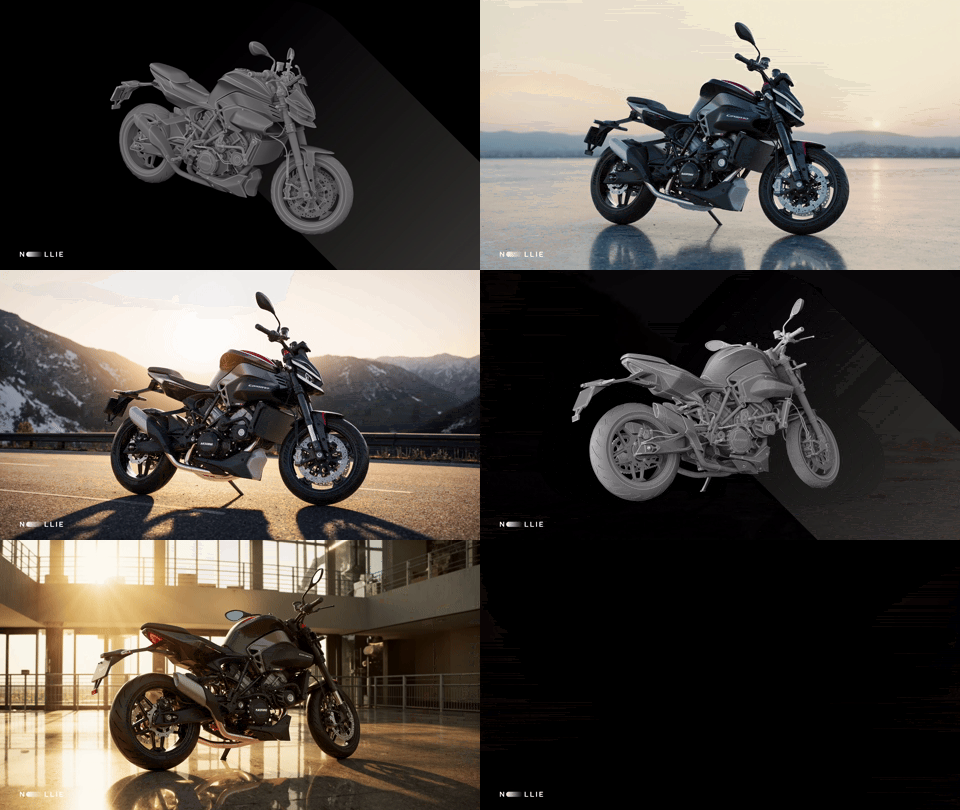

Some ideas feel too big for the usual constraints of production.
A fashion campaign film, for example, normally requires a full crew, real locations, and weeks of work. But what happens when a small group of creatives decides to treat AI not as a shortcut, but as a true production partner?
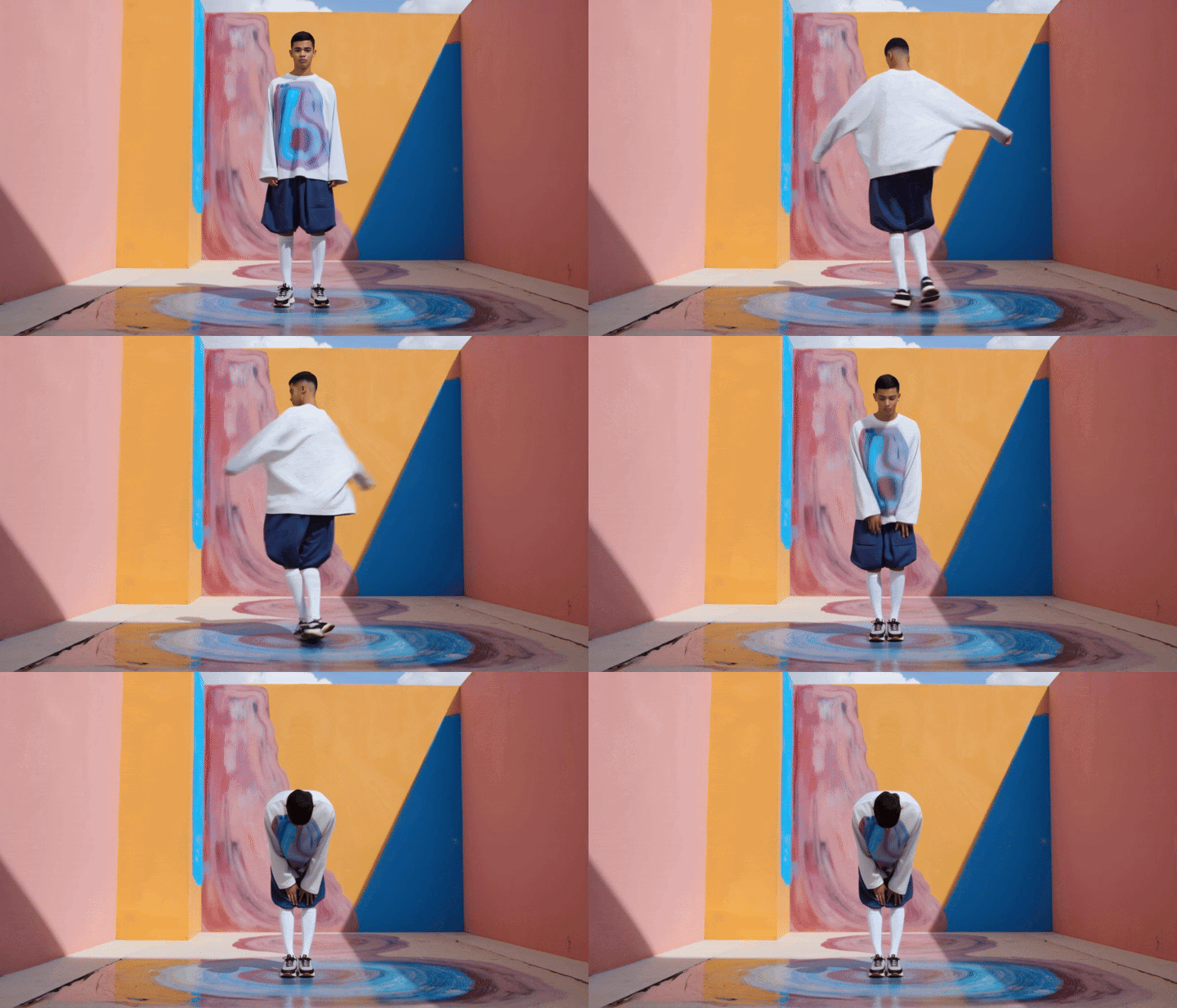
That’s what led to Trace of One, one of the most ambitious projects to emerge from Lighthouse AI Academy. Led by fashion photographer Marta Musial, the team set out to create a complete fashion film for designer Mai Gidah, from concept to color grade, using AI as the engine behind every stage.
The brief was simple: one model, four real outfits, and a traveler moving through four lands.
The challenge was making it feel real, emotional, and consistent.
What the team built is more than just a film; it’s a repeatable production pipeline that encompasses concept, LoRAs, image generation, video, sound, and 6K finishing. A workflow as rigorous as a traditional set, but created entirely with AI tools.
Below, you’ll see exactly how they made it, step by step, and what this project reveals about the future of creative production.
Step 1: Concept Comes First
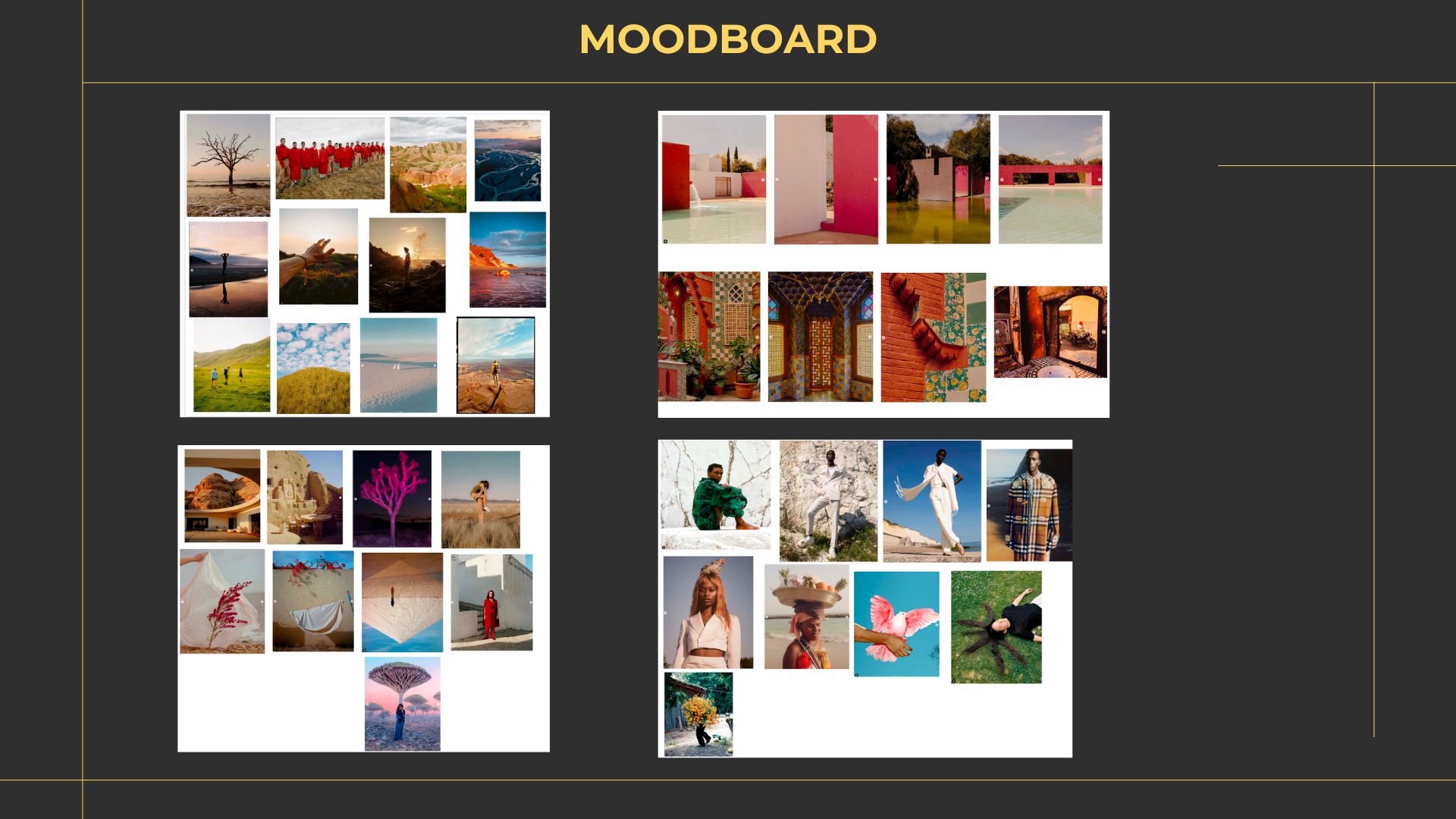
Before a single LoRA was trained, before any prompts were written, the team spent more than two weeks in pure concept mode.
They started by researching Mai Gidah’s brand identity, studying its visual language, values, and creative archetype. In parallel, they broke down the specific collection they were working with. What story did these garments naturally want to tell? What kind of traveler would wear them?
Everything went into a shared Miro board:
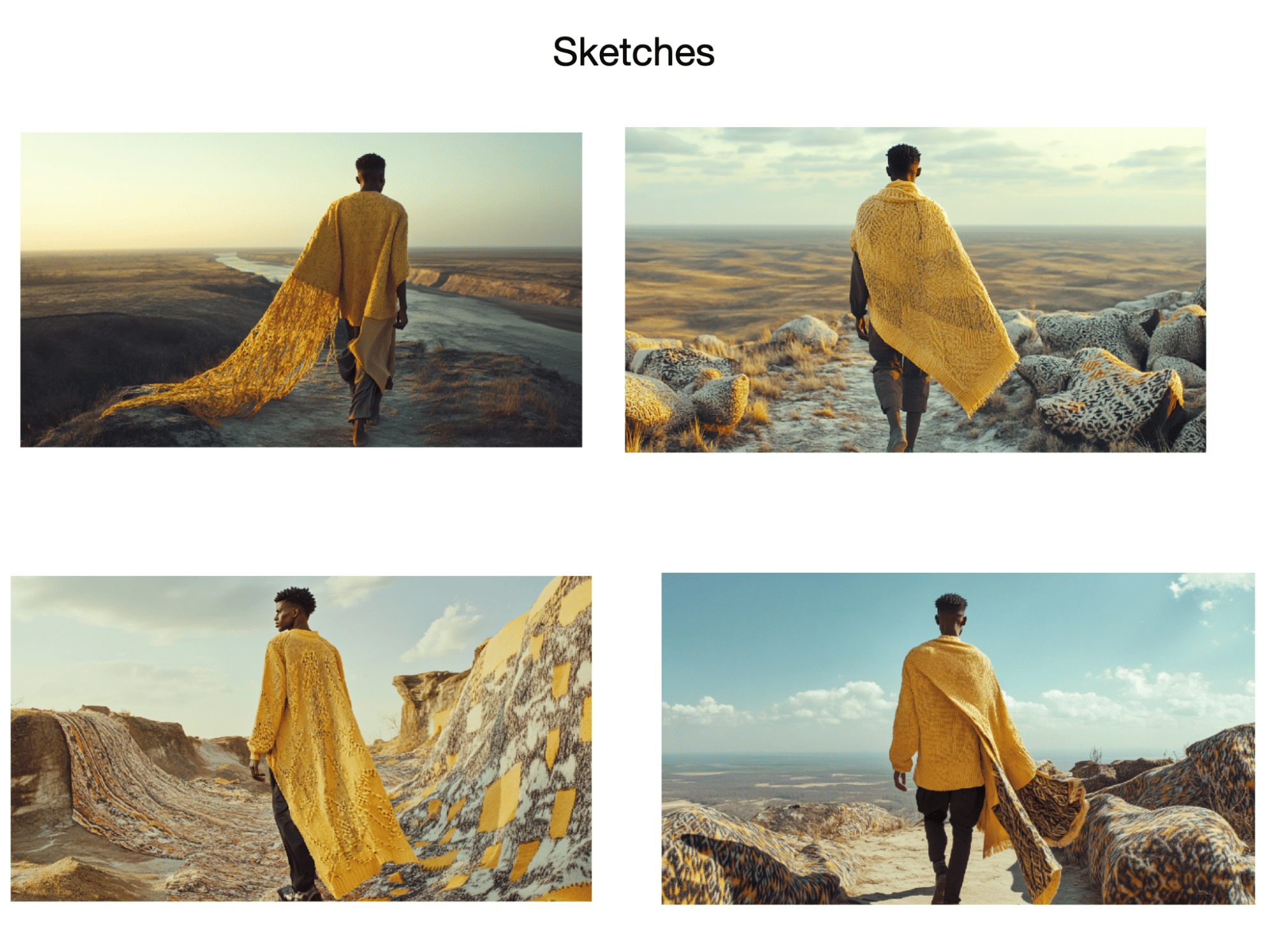
Sketches, reference films, poems, music, cultural imagery, and other campaign examples. This space became both the scrapbook and the early writing room: a place where treatments, story beats, and storyboard drafts could evolve.
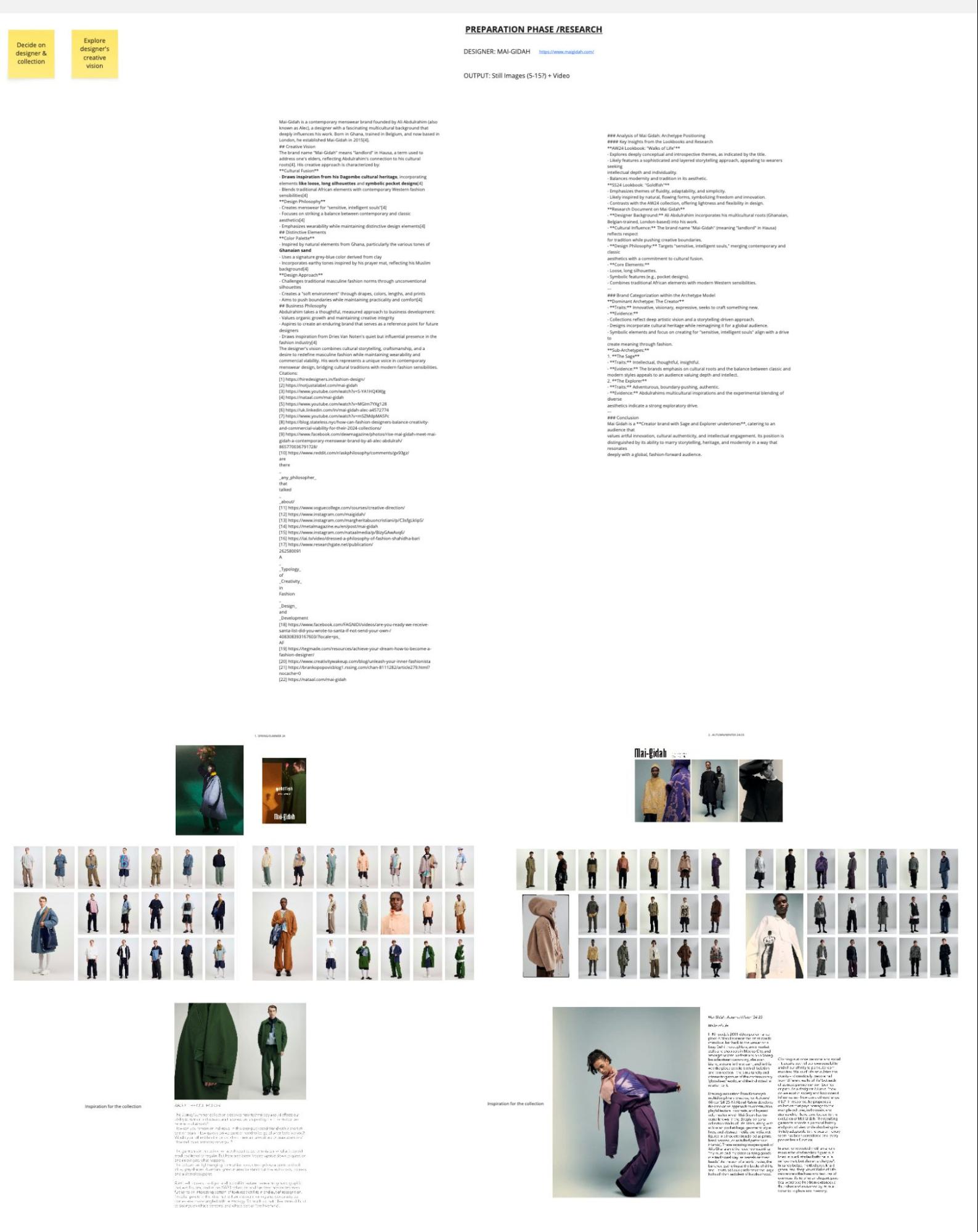
To shape the narrative, the team used ChatGPT as an interactive collaborator. It wasn’t there to “write the film” but to help with:
- combining and filtering ideas
- testing different narrative angles
- refining the journey of a character moving through four distinct lands, each influencing his appearance
As Marta puts it:
“The strongest ideas often come after giving space for messy, playful exploration.”
By the time they moved on to LoRA training and image generation, they had a clear, story-led foundation and a visual spine strong enough to carry the whole project.
Step 2: The LoRA Shoot (And Why It’s Different)
The next phase looked like a standard fashion shoot on the surface… but it wasn’t.
This was a dataset shoot, not a campaign shoot.
The goal wasn’t polished hero images for a lookbook, but raw, structured training material for LoRA models.
That meant:
- neutral backdrops
- minimal distractions
- consistent framing
- enough variety to teach the model what mattered
They shot model Yoshua in all four outfits, capturing:
- full-body, medium, and close-up shots
- multiple angles
- a range of expressions
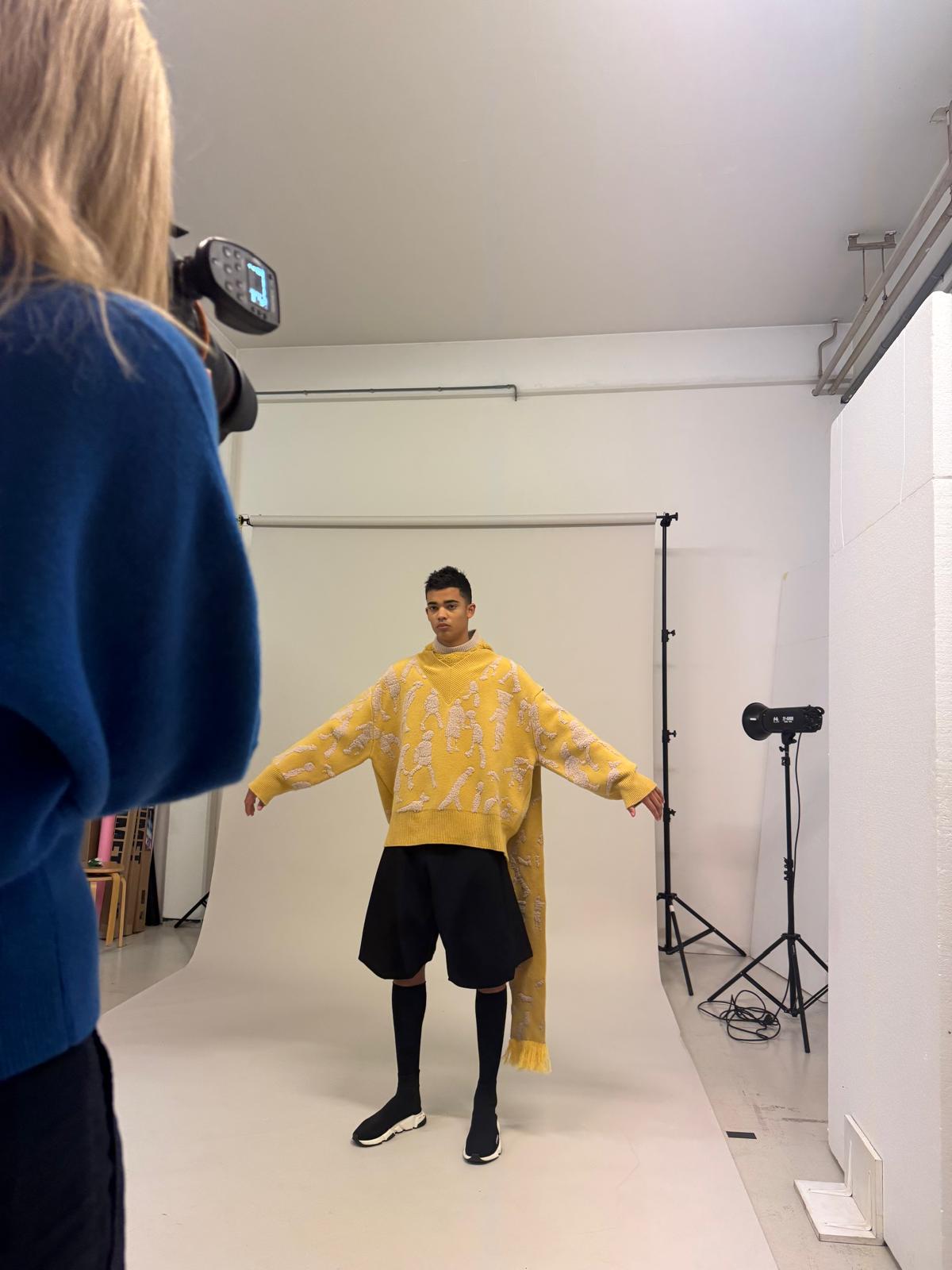
The aim was simple and precise: consistency, expression, range.
And yet, in a dataset context, small details take on outsized influence. A slightly folded garment, a stray wrinkle, a smudge of makeup aren’t just “imperfections” to be fixed later. They get learned into the dataset, and then show up again and again in generated images.
As Marta notes:
“Next time, I’d include a stylist just to catch the details. A single fold can live on in every result.”
The lesson is clear: when you’re shooting for LoRA training, the camera is teaching the model. Every oversight becomes a feature.
Step 3: Training LoRAs That Actually Work
From the shoot, the team moved into the most technical stage: LoRA training.
They trained multiple LoRAs for this project:
- One LoRA for the character (Yoshua)
- Four LoRAs for the outfits
The goal was to hold a single recognizable person across the entire film while letting each outfit express its own identity.
Here, choices around dataset composition, lighting, and captioning became critical. Including too many images from one angle, for example, risks biasing the model toward reproducing that perspective over and over. Too little lighting variety reduces flexibility later, especially in night scenes.
Captioning turned into its own small art form. Sometimes they followed the “classic rule” of not describing the object being trained. Sometimes they broke it, adding more detail to get better control over complex garments. The point wasn’t to follow a doctrine; it was to test how the LoRA behaved and adjust accordingly.
“Even one image too many can tip a LoRA toward overfitting. Knowing when to stop matters just as much as knowing how to start.”
— Marta Musial
This part of the process surfaced a bigger tension many creators feel: tools are evolving fast, and training LoRAs well is hard-won knowledge. But even if new models reduce the need for some of this work in the future, the skill of thinking structurally about data will remain.
Step 4: Image Generation Is a Film Pipeline Now
Once the LoRAs were trained, the team moved into image generation—but with a crucial mindset shift.
They weren’t chasing perfect single frames.
They were building a film pipeline.
That meant thinking in sequences from the start. Where a photographer might usually focus on standalone images that look strong in a grid, here the team had to think about how frames would animate together, cut together, and survive multiple technical transformations.
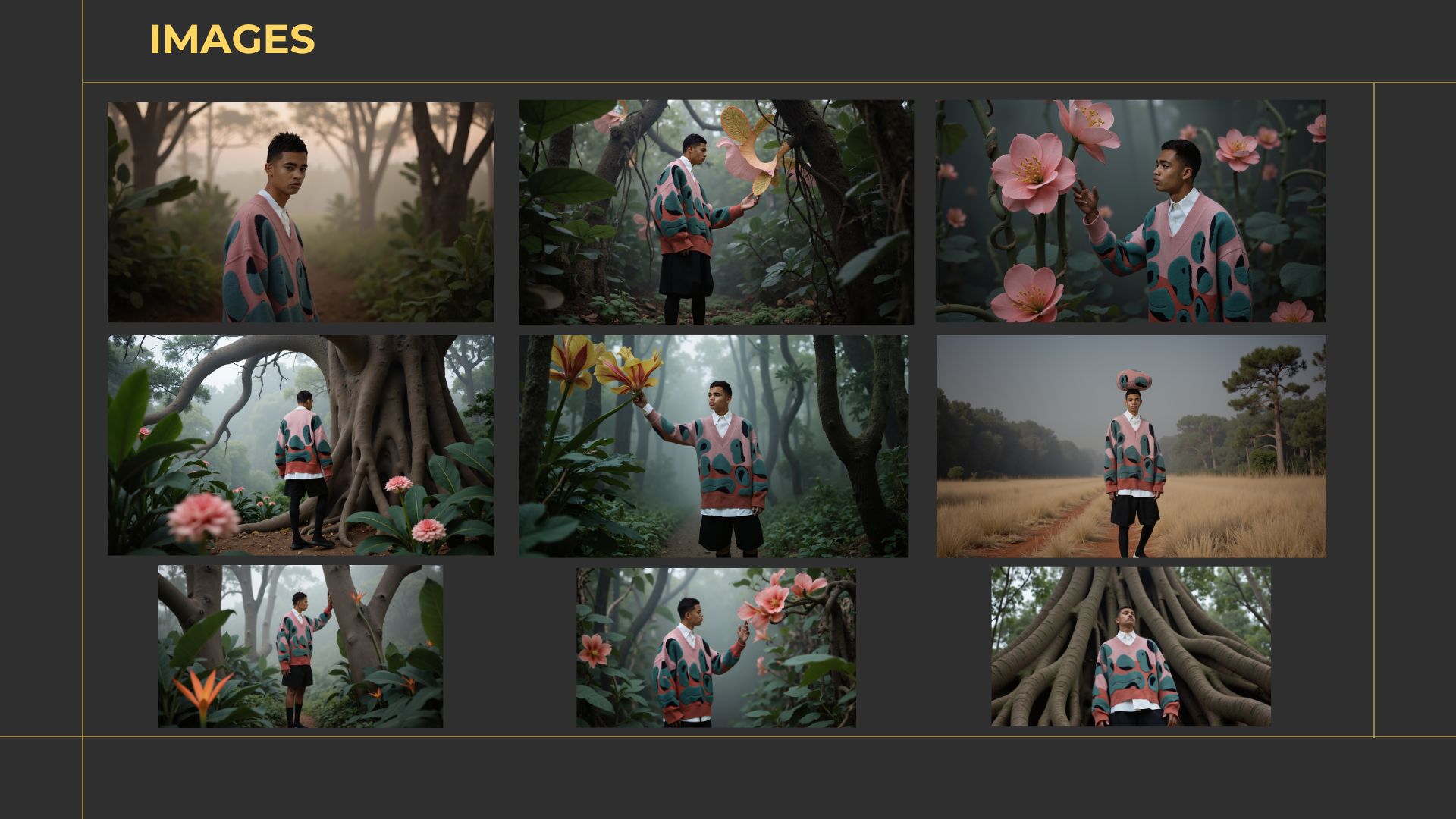
The workflow leaned heavily on:
- ControlNets (pose, depth, canny) to lock in composition and movement
- ComfyUI as the central graph-based environment
- inpainting to correct character inconsistencies and outfit details
- upscaling to get images ready for high-resolution video
Upscaling turned out to be one of the trickiest parts. Different upscaling models, even when subtle, could:
- change fabric texture
- shift facial features
- alter skin tones
Sometimes the change was enough to make a shot unusable. The team often had to run multiple tests and blends, then inpaint again after upscaling to restore consistency.
“The goal wasn’t perfect images. It was consistent material that could survive inpainting, upscaling, and motion.”
— Marta Musial
And through it all, traditional tools still mattered. Photoshop remained a quiet hero in the background, cleaning, refining, and adding final touches to nearly every image before it moved into motion.
Step 5: Bringing It to Life — Video, Sound & Story
With images locked, it was time to make them move.
For video generation, the team relied primarily on Kling 1.6, later testing Kling 2 for certain clips. These models have come a long way since then, and are only getting better and better — imagine what Marta and her team can do now!
Prompting here was about physical believability as much as aesthetics. Each outfit was described in careful detail (texture, weight, pattern, drape) to get movement that felt close to real fabric.
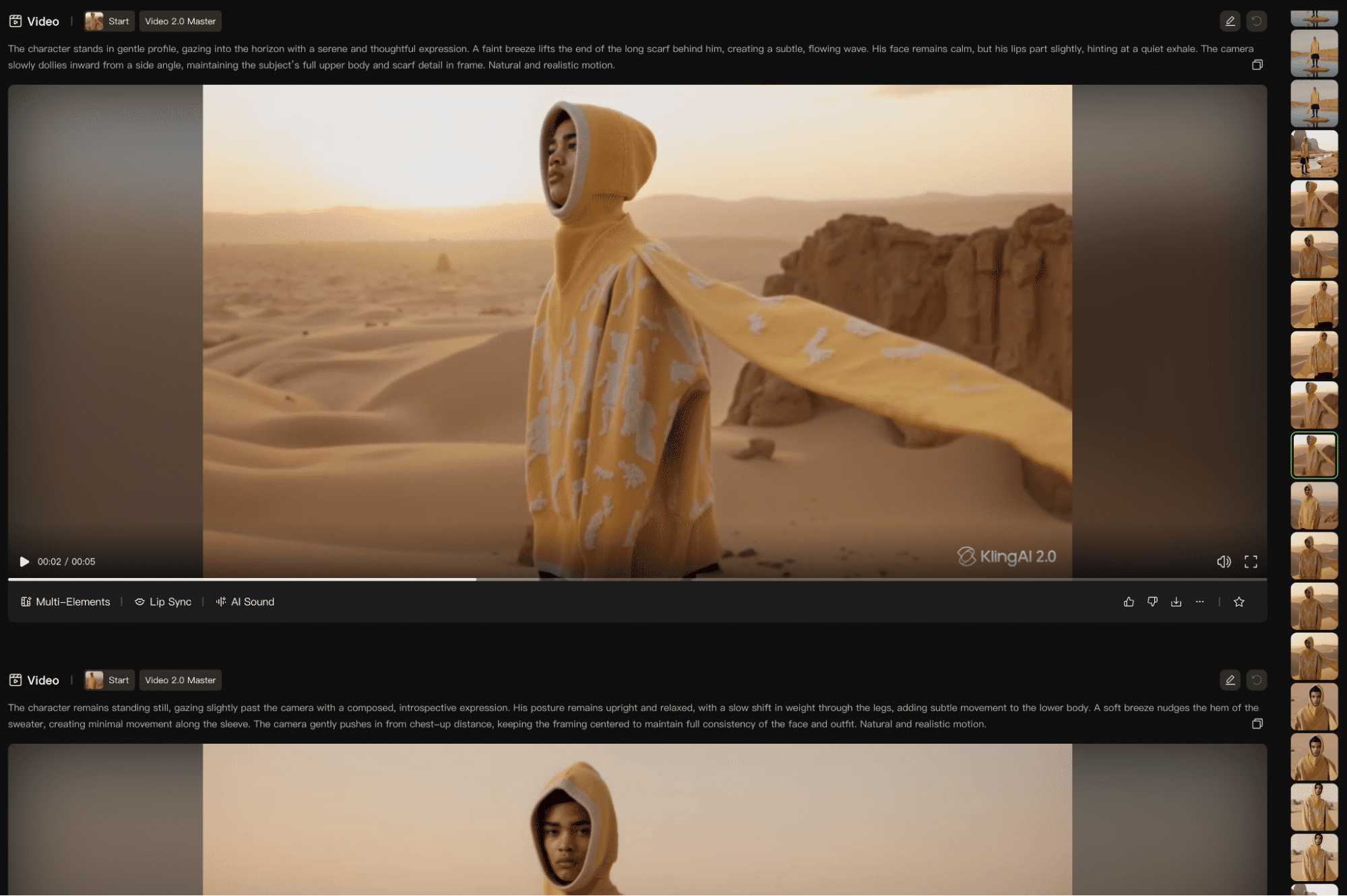
Process-wise, it was pure iteration:
- generate multiple versions of each clip
- compare, select, refine
- repeat until the best possible take emerges
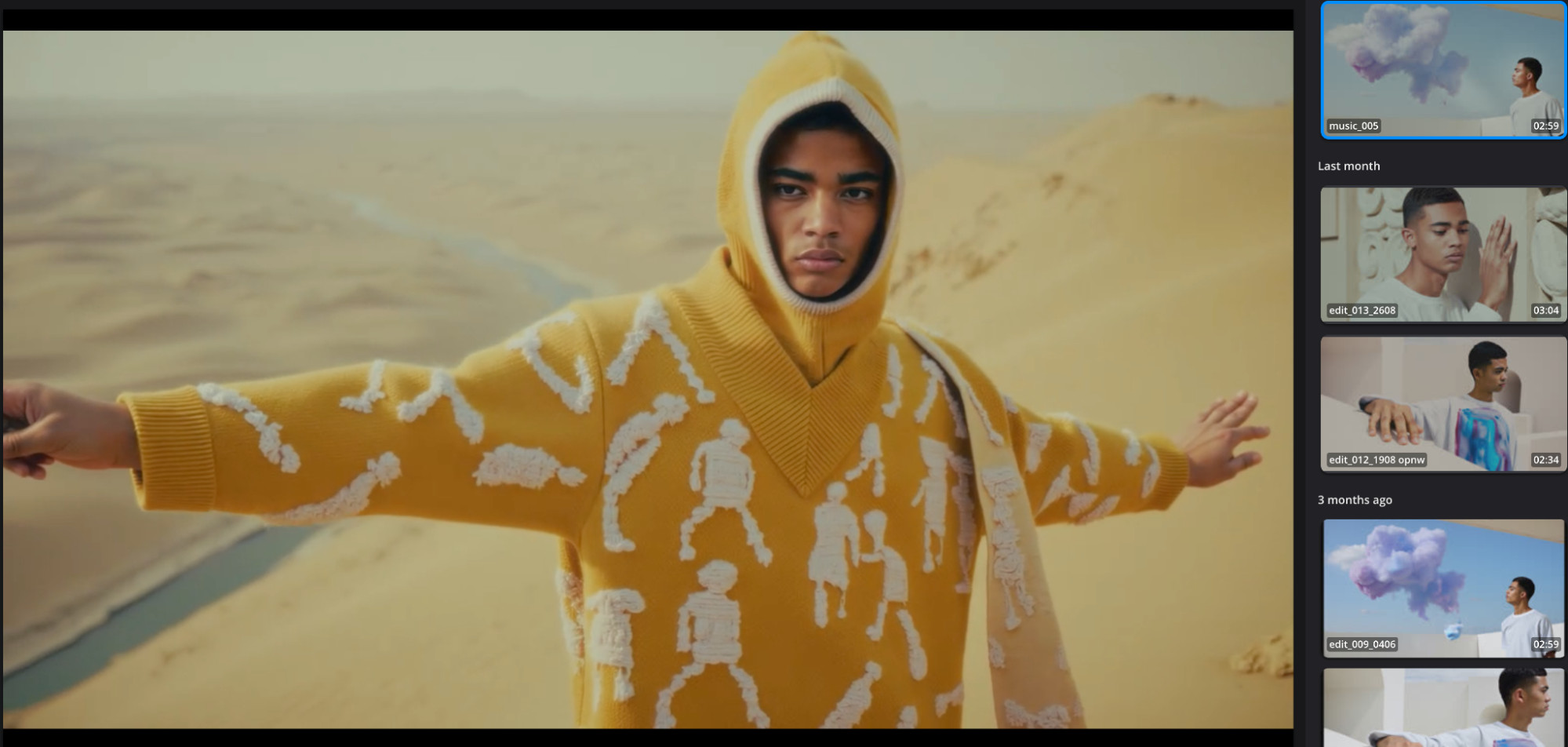
From there, editor and colorist Julian de Keijzer treated the material like any other film job. He received roughly 50 minutes of AI-generated footage (already partially upscaled) and cut it down to a two-and-a-half-minute final piece.
Once the edit was locked, he upscaled the chosen shots even further (up to nearly 6K) using smart upscaling models that preserved detail and allowed for reframing inside a 4K delivery.
Because the source was 8-bit AI footage, color grading came with its own constraints: quick banding in skies and gradients, for example. Julian used DaVinci Resolve’s AI tools (Magic Mask, Depth Map) and, when necessary, replaced skies or added atmosphere to manage those limitations.
Music followed a hybrid path: stock tracks to define rhythm; generated audio via ElevenLabs to add unique flavor; sound effects and atmospheres layered on top for body.
“At the end of the day, it’s still storytelling. AI didn’t remove the need for an editor; it just gave me different raw materials.”
— Julian de Keijzer
Why It Matters
It would be easy to label Trace of One as an “AI experiment” and move on. It’s more than that.
This project is a case study in end-to-end AI production on a real brief, with real creative constraints:
- The clothes had to stay faithful to the original designs.
- The character had to remain recognizable across scenes.
- The environments and mood needed to support a coherent story.
What the team built is not a magic trick. It’s a workflow.
It shows that when you treat AI as a collaborator—when you invest in concept, data, iteration, and craft—you can get outputs that feel both emotionally resonant and technically robust.
As one of the Trace of One team members, Srikanth, puts it:
“Creativity doesn’t get replaced by AI; it gets expanded by it.”
The tools will keep changing. The principles behind work like Trace of One will not.
Watch the Film
You’ve read the process. Now see the result.
Trace of One — Full 4K Fashion Film (2.5 min)
Built entirely with AI-driven workflows, from concept to camera movement, from character to color grade.
Learning from Trace of One
At Lighthouse AI Academy, we see Trace of One as a beautiful film, but also as a blueprint.
It shows what happens when:
- The concept isn’t rushed
- The datasets are shot with intention
- LoRAs are trained with the end result in mind
- Image generation is treated as a film pipeline, not a moodboard
- Video, color, and sound still follow the discipline of traditional postproduction
From a messy moodboard, you can now create a storyboard, a sequence, a motion test, and a graded output… All in the same day!
From a dataset of a few dozen images, you can build a LoRA that carries your style across an entire film.
Most importantly, this project shows how much is possible when motivated creators are given structure, guidance, and room to experiment.
Lights, Camera, Workflow — Action!
The future of creativity won’t be built by replacing artists.
It will be built by expanding how artists think, test, iterate, and communicate.
AI doesn’t remove the craft, but rather multiplies what you’re capable of making.
And that’s what Trace of One ultimately teaches:
USING AI TO ENHANCE, NOT REPLACE.
At our academy, we’re here to help you design workflows, not just prompts; systems, not just shots.
View our courses now and begin your journey to creating whatever your heart desires.
Any questions or comments about the article?
Message us and let us know your thoughts!